How Does GPS Work on a Smartwatch?
Published: 09 Sep 2026
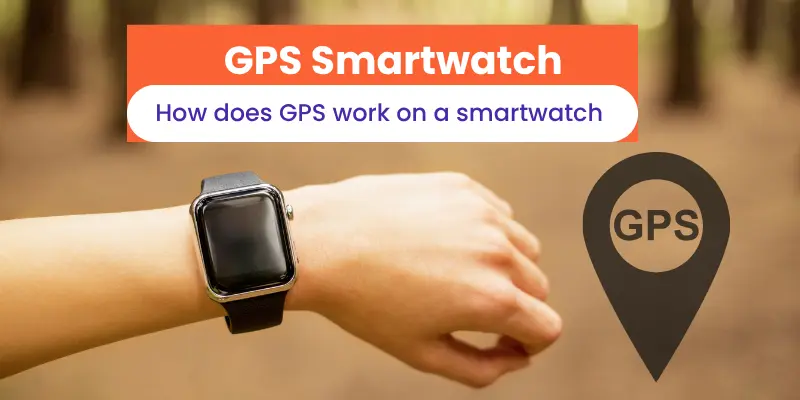
Have you ever wondered how your smartwatch knows where you are or tracks your running route without you entering your location? Understanding how GPS works on a smartwatch can help you get more from features like route, distance, and outdoor activity tracking.
In this guide, you will learn how smartwatch GPS works, how it connects with satellites, what affects its accuracy, and whether it needs your phone. Estimated reading time: 5 minutes. Difficulty level: Beginner.
Don’t worry if GPS sounds technical. I will explain everything in simple words, from GPS signals and satellites to location tracking, accuracy, and battery use.
Key Takeaways
- Smartwatch GPS uses satellite signals to find and track your location.
- A smartwatch can use GPS to record routes, distance, pace, and outdoor activities.
- Some smartwatches have built-in GPS, while others use your phone’s GPS connection.
- GPS accuracy can change because of buildings, trees, weather, and signal interference.
- Using GPS for long periods can reduce smartwatch battery life.
- Understanding how GPS works on a smartwatch can help you choose and use your watch more effectively.
What Is GPS in a Smartwatch?
GPS in a smartwatch helps the watch find your location by receiving signals from satellites. It supports features such as location tracking, route recording, distance measurement, and outdoor activity tracking.
In this section, we cover the basic role of GPS in a watch.
Here are the main points to understand:
- GPS Receiver: Receives location signals from GPS satellites.
- Satellites: Send signals that help the watch calculate your position.
- GPS Signal: Carries the information needed to find your location.
- Location Tracking: Records where you are and the route you take.
- Distance Tracking: Measures the distance covered during activities.
- Pace Tracking: Helps calculate your running or walking pace.
- Navigation: Supports route guidance on compatible smartwatches.
- Fitness Tracking: Uses GPS data for activities such as running, cycling, and hiking.
- Standalone GPS: Lets the watch track your location without a phone.
- Connected GPS: Uses your phone’s GPS connection to provide location data.
How Does Smartwatch GPS Work?
A GPS smartwatch connects with satellites to find its position. The built-in GPS receiver receives each GPS signal and compares the timing of those signals to calculate where the watch is. It then updates your position as you move.
The watch uses these location updates to build your route and provide useful activity data. This is how smartwatch GPS can show where you have been during a run, ride, or hike. The process happens automatically, so you can focus on your activity instead of checking your location manually.
What Can Smartwatch GPS Track?
Smartwatch GPS can track several details about your outdoor movement. It can record your route tracking, distance tracking, and pace tracking during activities such as running, cycling, and hiking.
It can also show your current position and help you follow a route on compatible watches. I find this especially useful for outdoor workouts because you can review where you went and how far you traveled without carrying extra equipment.
Does Smartwatch GPS Work Without a Phone?
Yes, a smartwatch can work without a phone if it has built-in standalone GPS. The watch receives location information directly from satellites, so you can track your route during activities without keeping your phone with you.
However, a watch with connected GPS usually needs your phone to provide location data. So, before buying a GPS smartwatch, check whether it has built-in GPS if you want phone-free tracking.
How Accurate Is Smartwatch GPS?
Smartwatch GPS can provide accurate location tracking for most outdoor activities, but the results can vary between watches and locations. A clear view of the sky usually helps the GPS signal reach the watch more easily, while tall buildings, trees, and other obstacles can reduce accuracy.
GPS accuracy can also change with satellite coverage, signal interference, and the quality of the watch’s GPS receiver. In my experience, small differences in distance or route are normal, so it is better to use GPS readings as a useful guide rather than expect perfect results every time.
Smartwatch GPS vs. Connected GPS
Here is a simple comparison of how the two GPS options differ:
| Smartwatch GPS (Standalone GPS) | |||||
|---|---|---|---|---|---|
|
| Connected GPS | |||||
|---|---|---|---|---|---|
|
Does GPS Affect Smartwatch Battery Life?
Yes, using GPS can reduce battery life because the watch continuously receives location signals and updates your position. Longer activities, such as running, cycling, or hiking, usually use more battery than short GPS sessions.
In my experience, this is worth keeping in mind if you often use smartwatch GPS outdoors. If battery life matters to you, check the watch’s GPS battery rating and avoid keeping GPS on when you do not need it.
Which Activities Use Smartwatch GPS?
Different outdoor activities can use Smartwatch GPS to track your movement and location.
In this section, we cover the most common activities where GPS is useful.
- Running: Tracks your route, distance, and pace while you run.
- Cycling: Records your cycling route and shows how far you travel.
- Hiking: Helps track your trail, distance, and location during hikes.
- Walking: Measures your route and distance during outdoor walks.
- Outdoor Sports: Tracks movement and location during activities such as skiing or other outdoor sports.
How to Improve Smartwatch GPS Accuracy
Good GPS accuracy helps your smartwatch track distance, pace, and routes correctly.
A few simple steps can improve the GPS signal and make location tracking more reliable.
- Go to an open area: Use GPS outdoors with a clear view of the sky. Tall buildings, trees, and mountains can block satellite signals.
- Wait for the GPS signal: Give your smartwatch some time to find satellites before starting your workout.
- Keep Location Services on: Make sure GPS and location permissions are enabled for your watch and fitness apps.
- Keep the watch updated: Install available software updates to get the latest GPS and tracking improvements.
- Calibrate your smartwatch: Walk or run outdoors in an open area to help the watch improve distance and pace tracking.
- Use the correct workout mode: Select Outdoor Run, Outdoor Walk, Hiking, or the mode that matches your activity.
- Avoid starting under heavy cover: Wait until you are away from buildings, covered areas, or other objects that can weaken the GPS signal.
FAQs: About Smartwatch GPS
Here are some common questions beginners may have about how GPS works on a smartwatch, GPS tracking, internet use, and battery life.
GPS in a smartwatch helps determine your location using signals from satellites. It can track your distance, speed, pace, and route during activities such as walking, running, and cycling.
A GPS watch does not usually need the internet to receive GPS signals and calculate your location. However, some features such as maps, live traffic, weather, or syncing workout data may need an internet connection.
Yes, a GPS smartwatch can share its location when it has a tracking or location-sharing feature. However, GPS satellites themselves do not track the watch; the watch calculates its location from satellite signals, and another service may share that location.
GPS is mainly used for location tracking, navigation, route recording, and fitness tracking. For example, a runner can use GPS to see how far they have run without manually measuring the route.
Yes, using GPS continuously can use more battery than normal smartwatch functions. Longer GPS workouts can reduce battery life faster, so the effect depends on the watch and how long GPS remains active.
Smartwatch GPS accuracy can decrease near tall buildings, dense trees, bridges, tunnels, or other objects that block or reflect satellite signals. Starting a workout before the watch gets a GPS lock can also lead to an inaccurate route or distance reading.
Start your outdoor workout in an open area and wait for the watch to find the GPS signal before moving. Keeping the watch software and satellite data updated can also help improve GPS accuracy and route tracking

- Be Respectful
- Stay Relevant
- Stay Positive
- True Feedback
- Encourage Discussion
- Avoid Spamming
- No Fake News
- Don't Copy-Paste
- No Personal Attacks
- Be Respectful
- Stay Relevant
- Stay Positive
- True Feedback
- Encourage Discussion
- Avoid Spamming
- No Fake News
- Don't Copy-Paste
- No Personal Attacks
